Navigating to the Customer Search
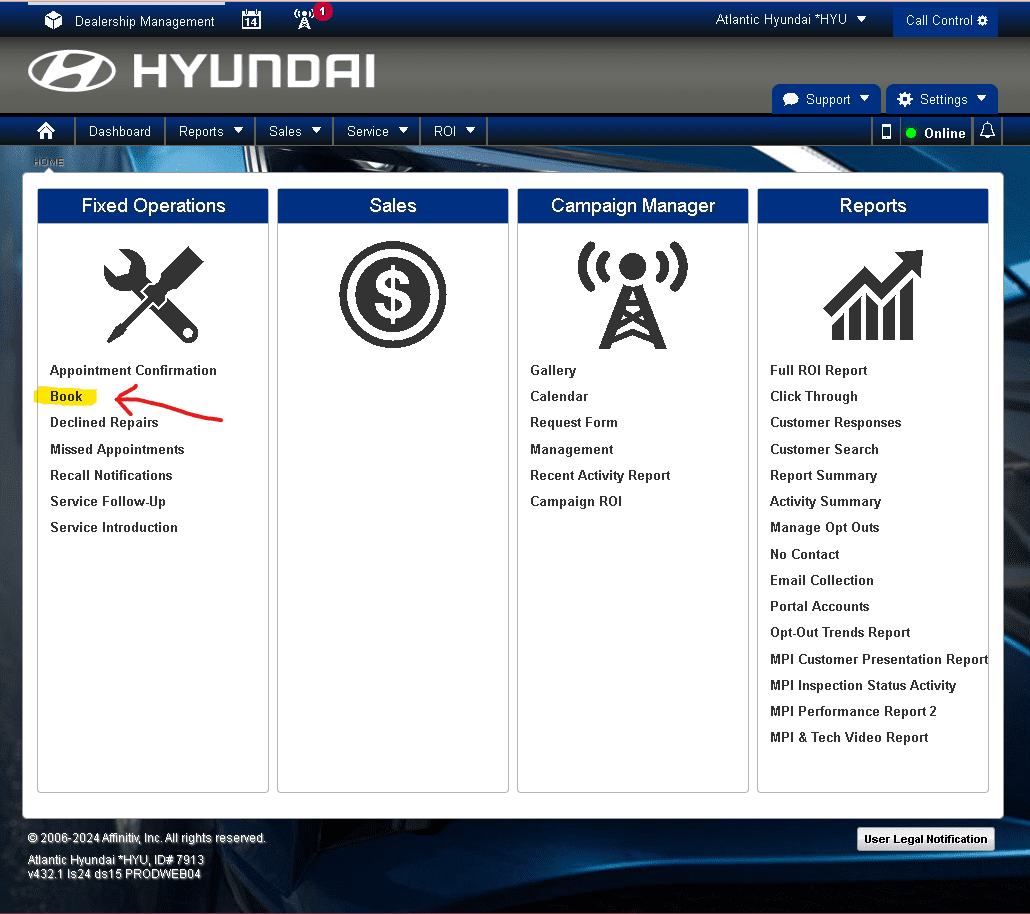
After logging in, you still have a few steps before you can search for a customer in the system. First up, Select “Book” from the second row of the first column (Fixed Operations). This is highlighted below.
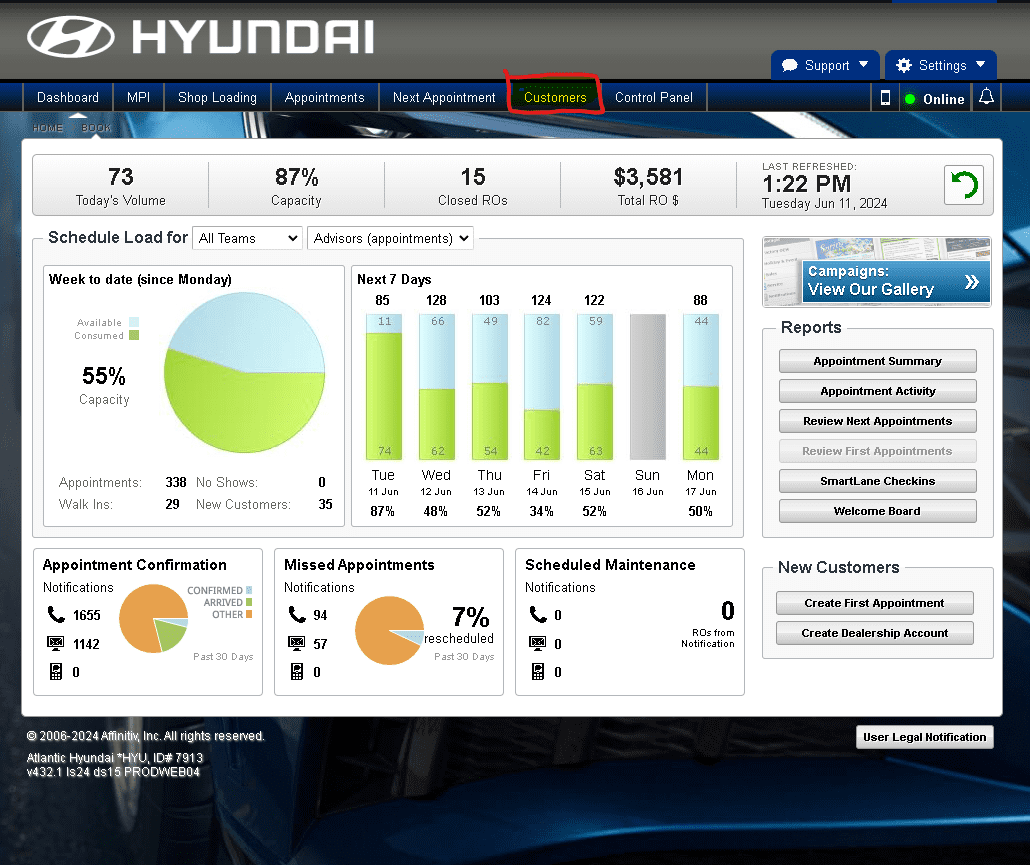
Step 2 is to click “Customers” in the top navigation bar. This is highlighted in yellow and with a red rectangle below.
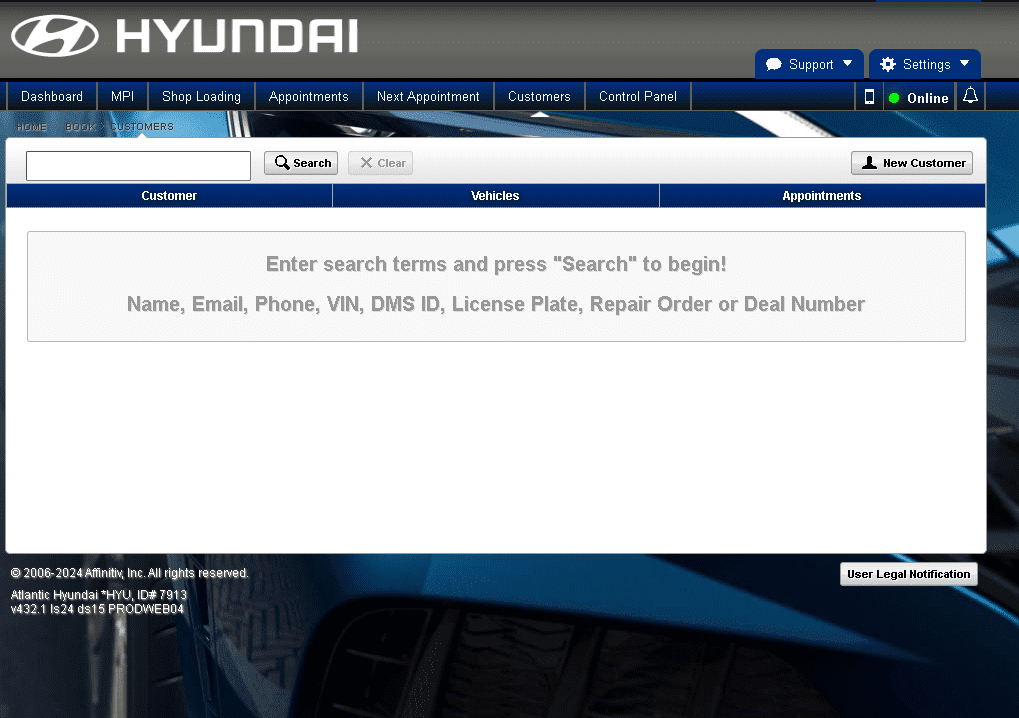
If you’ve navigated to the customer search page correctly, your screen with match the image shown below.