
Dispositioning Your Calls in DealerFx
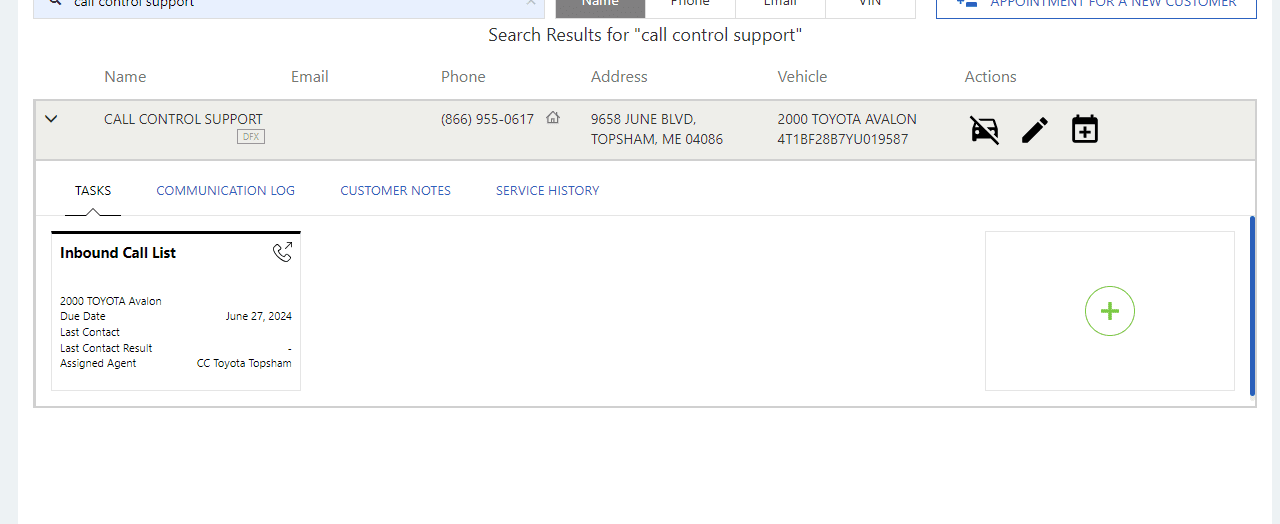
For some of our clients that work within the DealerFx software, they would like us to disposition the call within the scheduling software in addition to dispositioning our calls normally on Five9. This screen is automatically opened as a separate tab when we select the plus sign in our customer record, initiating a new “Task” be created.
You will know to take these actions when you see the following icon and note on your CLIP.
The disposition options in DealerFx can be seen below, in the customer profile page. The tab left open during your appointment scheduling process will be named “Guest Connect.” Return to this page as you complete your Five9 worksheet.
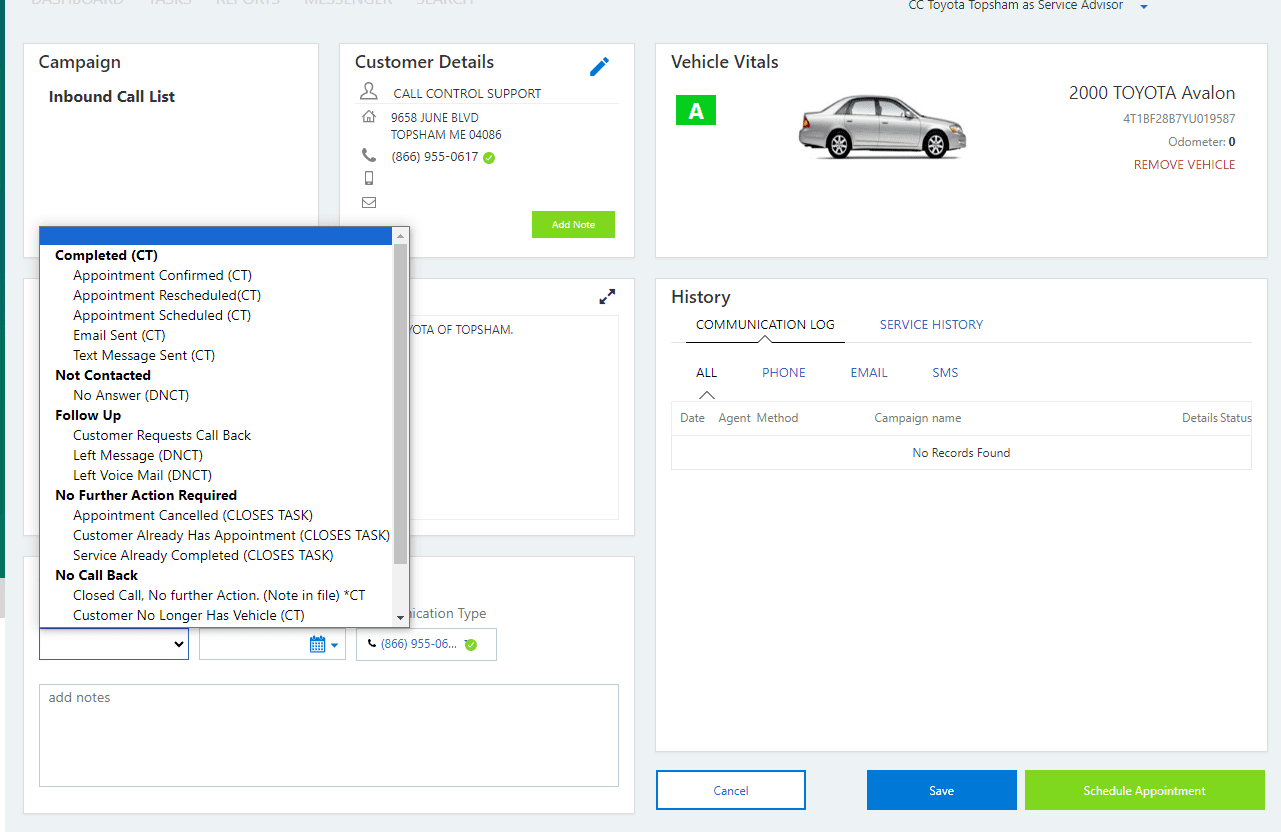
This means that any time you are sending an alert to one of these dealerships, you must copy your notes from your Five9 disposition into the scheduling software (choosing the appropriate disposition) prior to selecting “Send to Dealer.”
Proper documentation of your calls using DealerFx requires that you familiarize yourself with the disposition options available to you in the software. Please review the chart below to ensure you have a comprehensive understanding of the expectations.
| DealerFx Disposition | Reason | Notes |
| Appointment Confirmed (CT) | To be used when your customer simply wanted to confirm an existing appointment in the system. | Copy & paste any notes from the last page of your Five9 disposition. |
| Appointment Rescheduled (CT) | To be used when a customer’s appointment was modified or rescheduled. | Copy & paste any notes from the last page of your Five9 disposition. |
| Appointment Scheduled (CT) | To be used when a customer’s appointment was scheduled with or without a Five9 disposition of “SEND TO DEALER” attached to it. | Copy & paste any notes from the last page of your Five9 disposition. |
| Customer Requests Call Back | To be used when you will be sending an alert over to the dealership for a customer call back. Examples of this include pricing requests prior to scheduling, availability concerns, transportation requests, any service we cannot schedule that says “Send Alert”, and status updates. | Copy & paste any notes from the last page of your Five9 disposition. |
| Appointment Cancelled (CLOSES TASK) | To be used when a customer’s appointment was cancelled and no further action is needed. | Copy & paste any notes from the last page of your Five9 disposition. |
| Closed Call. No further Action (Note in file) * CT | To be used for calls that do not require communication to or from the dealership. Examples of this include general information requests, successful transfers to any department, express lane requests, recalls with no remedy available, and wrong numbers/customer hangups. | Copy & paste any notes from the last page of your Five9 disposition. |